Icon of program: TipCam

TipCam for Windows

  • Free
  • 2.9
    244
  • 56.9K
  • V1.0.55.1795

The easiest way to record any activity on your screen

Sometimes an image is worth a thousand words, and this is why videos are usually the handiest way to share a tip o create a tutorial.

Top Recommended Alternative

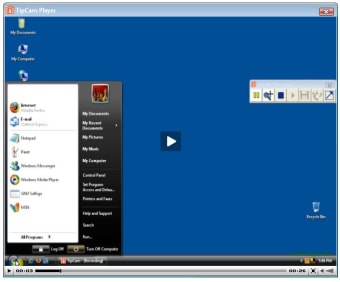
Screen recording is child's play with TipCam. This program enables you to capture any activity that takes place on your screen and save it as an online video that you can share with anybody. You can show off your latest battles in your favorite game, or help a customer that needs assistance with a particular software application.

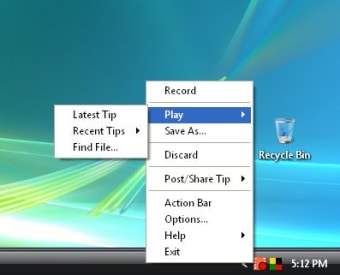
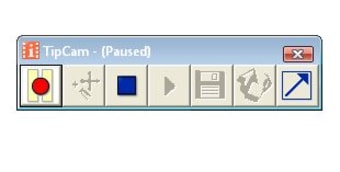
TipCam is very easy to use. You can enable, pause and resume screen recording with hotkeys, plus make the "camera" follow your mouse with its pan/zoom function, although there's no possibility to define the size of this zoom.

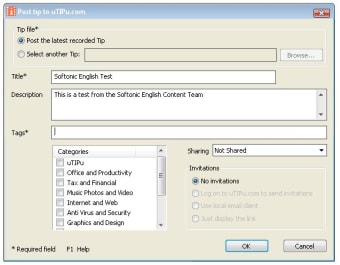
On the downside, the program only saves videos to FLV. That said, if you want to publish them online, you can use the developer's website - after signing up for free. While this can be a good way to share them, I'd still prefer having a wider format variety to save my videos.

With TipCam you can easily record any activity on your screen. Unfortunately videos are saved only in FLV format .

  • Pros

    • Easy to use
    • Pan/zoom function
    • You can share videos on the developer's website
  • Cons

    • Videos can only be saved in FLV
 0/5

App specs

  • License

    Free

  • Version

    1.0.55.1795

  • Latest update

  • Platform

    Windows

  • OS

    Windows XP

  • Language

    English

  • Downloads

    56.9K

  • Size

    4.98 MB

  • Developer

    • Utipu

Program available in other languages


Icon of program: TipCam

TipCam for PC

  • Free
  • 2.9
    244
  • 56.9K
  • V1.0.55.1795

User reviews about TipCam

2.9

1 reviews

Add review

Main reviews for you

  • Anonymous user

    Good but needs more work on it. . used it to record minecraft videos but when i viewed it. minecrat wasnt showing in the video please fix this if you can.

More

You may also like

Alternatives to TipCam

Explore Apps

Latest articles

Laws concerning the use of this software vary from country to country. We do not encourage or condone the use of this program if it is in violation of these laws.
Softonic

Is TipCam safe?

100/100

Score result: Clean

This file passed a comprehensive security scan using VirusTotal technology. It is safe to download.

  • Virus free
  • Spyware free
  • Malware free
  • Verified by Security Partners

    VirusTotal logo

Scan Info

Last scan
Friday, December 8, 2023
Scan provider
VirusTotal · Full report

File Integrity

File
utipusetup1.exe
SHA256
e95b66bf4443989fe0c3946135722af33000b30ae0d51b86eab018582b4789f0
SHA1
5be74feac04f2076b428616260286e532795815f

Softonic security commitment

TipCam has been thoroughly scanned by our advanced security systems and verified by industry-leading partners. This file comes from the official developer and has passed all our security checks, showing no signs of viruses, malware, or spyware. For more information, visit our Security and Trust Center